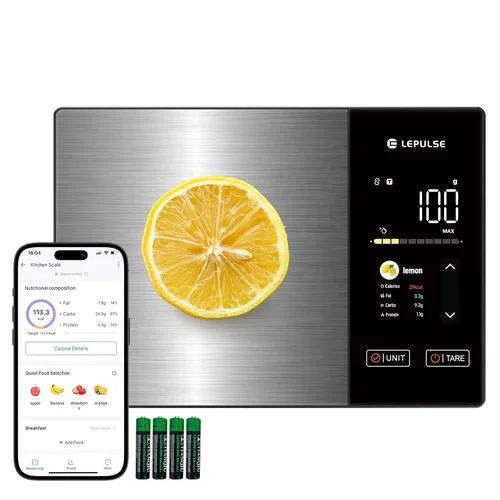
The modern kitchen is no longer just a place for cooking—it’s a hub of health, precision, and smart technology. As more people embrace mindful eating, portion control, and data-driven nutrition tracking, the demand for tools that bridge the gap between culinary creativity and nutritional awareness has surged. Enter the smart kitchen scale: a device that does far more than measure grams and ounces. When paired with a dedicated nutrition app, these scales transform your countertop into a personal nutrition assistant, logging calories, macronutrients, and even micronutrients with just a few taps.
This guide is designed for anyone serious about taking control of their diet—whether you’re a fitness enthusiast tracking macros, someone managing a medical condition like diabetes, or simply a home cook who wants to eat more mindfully. You’ll learn how to evaluate smart kitchen scales based on real-world performance, app integration, durability, and value. We’ve tested dozens of models, analyzed user feedback, and consulted nutrition tech experts to bring you a comprehensive, up-to-date resource that cuts through the marketing noise. By the end, you’ll know exactly what to look for—and which models deliver on their promises.
The market for smart kitchen scales has exploded in recent years, with brands like Greater Goods, Etekcity, and Withings leading the charge. These devices now offer Bluetooth and Wi-Fi connectivity, seamless app synchronization, and increasingly sophisticated nutritional databases. But not all smart scales are created equal. Some prioritize sleek design over accuracy, while others boast impressive features but suffer from buggy apps or poor build quality. This guide will help you navigate the options, avoid common pitfalls, and invest in a scale that truly enhances your health journey.

What to Look for When Buying Buying Guide
1. Accuracy & Precision
At the heart of any kitchen scale—smart or otherwise—is accuracy. A scale that misreads by even a few grams can throw off your entire meal plan, especially when tracking small portions of high-calorie ingredients like oils or nuts. Look for models with a resolution of at least 0.1 grams and a maximum capacity of 5–15 kg (11–33 lbs), depending on your needs. High-precision sensors, such as strain gauge or electromagnetic force restoration (EMFR) technology, ensure consistent readings across the entire weight range.
For example, if you’re measuring 5 grams of chia seeds for a smoothie, a scale that rounds to the nearest gram could underreport by 20%. Over time, these small errors compound, leading to inaccurate calorie and nutrient tracking. Always check independent lab test results or verified user reviews that mention consistency across multiple weigh-ins.
2. App Integration & Nutrition Database Quality
The “smart” in smart scale comes from its ability to sync with a mobile app that logs and analyzes your food data. The quality of the app—and its underlying nutrition database—is just as important as the hardware. Top-tier apps like MyFitnessPal, Lose It!, or proprietary platforms (e.g., Greater Goods’ NutriScale app) offer extensive food libraries with verified entries from USDA, branded products, and user-submitted data.
Look for apps that allow barcode scanning, recipe import, and meal planning. Some even support voice input or AI-powered food recognition via your phone’s camera. A poor app experience—slow syncing, frequent crashes, or limited food options—can render even the most accurate scale useless. Always download the app before purchasing to test its interface and functionality.
3. Connectivity Options: Bluetooth vs. Wi-Fi
Most smart scales use Bluetooth to connect to your smartphone, which is sufficient for most users. However, Wi-Fi-enabled models offer real-time cloud syncing, meaning your data updates across devices instantly—even if your phone isn’t nearby. This is especially useful for families or shared kitchens where multiple people use the scale.
Bluetooth scales are generally more affordable and consume less battery, but they require your phone to be within range (typically 10 meters). Wi-Fi models, like the Withings Body+, offer greater convenience but may be overkill if you only use the scale occasionally. Consider your usage patterns: if you weigh ingredients while your phone charges in another room, Wi-Fi is a game-changer.
4. Build Quality & Durability
A smart scale is a long-term investment, so it should withstand daily use. Look for tempered glass platforms (easy to clean and resistant to scratches), stainless steel load cells, and non-slip feet. Avoid plastic bases, which can warp over time and affect accuracy. Water resistance (IPX7 rating or higher) is a bonus, especially if you plan to weigh liquids or clean the scale frequently.
Durability also extends to internal components. Scales with sealed electronics are less prone to damage from spills or humidity. Check warranty length—most reputable brands offer at least a 2-year warranty, with some extending to 5 years. A sturdy build ensures your scale remains accurate for years, not months.
5. Battery Life & Power Options
Smart scales rely on batteries, and frequent recharging or replacement can be a hassle. Most models use 2–4 AAA or AA batteries, lasting anywhere from 6 months to 2 years depending on usage. Rechargeable lithium-ion batteries (like in the Etekcity Smart Scale) are more eco-friendly and cost-effective long-term, though they may require a USB-C or micro-USB port for charging.
Some premium models, such as the Greater Goods Smart Scale, include a low-battery indicator and auto-shutoff to conserve power. If you use the scale daily, opt for a model with long battery life or rechargeable options. Avoid scales that drain batteries quickly—this is often a sign of poor power management or constant Bluetooth scanning.
6. Size, Design & Countertop Footprint
Your kitchen space matters. A bulky scale may be accurate but impractical if you have limited counter real estate. Look for compact designs (under 12 inches wide) with a low profile for easy storage. Some models, like the Ozeri Touch II, feature a slim 0.6-inch height, making them ideal for sliding under cabinets.
Design isn’t just about aesthetics—it affects usability. A large, flat surface accommodates bowls and plates, while rounded edges prevent food from getting trapped. Touch-sensitive buttons are sleek but can be less responsive with wet fingers. Physical buttons or a hybrid interface may be more reliable. Choose a design that fits your kitchen’s workflow, not just its decor.
7. User Reviews & Real-World Performance
Manufacturer specs don’t always reflect real-world performance. User reviews—especially detailed ones on Amazon, Best Buy, or Reddit—reveal common issues like app crashes, syncing delays, or inconsistent readings. Look for patterns: if multiple users report the same problem, it’s likely a design flaw, not an isolated incident.
Pay attention to long-term reviews (6+ months of use), which often highlight durability and software updates. A scale that works perfectly out of the box may degrade over time due to poor app maintenance or hardware wear. Trust verified purchasers and third-party tech reviewers over promotional content.
8. Price vs. Value Proposition
Smart scales range from $30 to $200+, but price doesn’t always correlate with quality. A $40 scale with excellent app integration and accuracy may outperform a $120 model with flashy features but poor reliability. Focus on value—what you get for your money.
Consider the total cost of ownership: app subscriptions (some require premium plans for full features), battery replacements, and potential repairs. A mid-range scale ($70–$100) often offers the best balance of features, durability, and support. Avoid ultra-cheap models, which frequently cut corners on sensors and software.
Different Types of Buying Guide

Common Buying Mistakes to Avoid
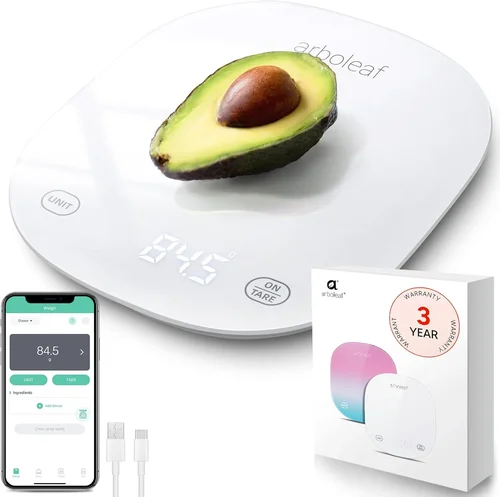
❌ Mistake: Prioritizing Price Over App Quality
Why it’s bad: A cheap scale with a broken or limited app defeats the purpose of “smart” functionality. You’ll end up manually logging data, which is time-consuming and error-prone.
What to do instead: Test the app before buying. Download it, create a profile, and try scanning a few foods. If it’s clunky or lacks key features, look elsewhere—even if the hardware seems solid.
❌ Mistake: Ignoring Unit Conversion Options
Why it’s bad: Recipes often use different units (grams, ounces, cups, milliliters). A scale that only displays one unit forces you to do manual conversions, increasing the risk of mistakes.
What to do instead: Choose a scale with multiple unit options and easy switching. Some models even auto-convert based on the app’s recipe database.
❌ Mistake: Overlooking Tare Functionality
Why it’s bad: Without a reliable tare (zeroing) function, you can’t accurately measure ingredients in bowls or containers. This leads to inaccurate totals and wasted food.
What to do instead: Ensure the scale has a responsive tare button and can handle multiple tare actions in one session (e.g., adding flour, then sugar, then butter).
❌ Mistake: Buying Based on Looks Alone
Why it’s bad: A sleek, minimalist design may hide poor build quality or fragile components. Glass can crack, and thin bases can warp under heavy loads.
What to do instead: Read reviews that mention durability. Look for reinforced corners, thick glass, and metal load cells—even if it means sacrificing some aesthetic appeal.
❌ Mistake: Assuming All Apps Are Equal
Why it’s bad: Some brands use third-party apps with limited databases or aggressive ads. Others require subscriptions for basic features like barcode scanning.
What to do instead: Check if the app is free, ad-free, and regularly updated. Avoid models that lock essential features behind paywalls.
❌ Mistake: Not Considering Multi-User Support
Why it’s bad: In households with multiple users, a scale that doesn’t support profiles can mix up data, leading to incorrect tracking for everyone.
What to do instead: Choose a scale with user profiles or family sync options. Premium models often allow up to 8 users with individual goals and histories.
❌ Mistake: Skipping the Return Policy Check
Why it’s bad: If the scale arrives defective or doesn’t meet expectations, a strict return policy could leave you stuck with a useless device.
What to do instead: Buy from retailers with generous return windows (30+ days) and clear warranty terms. Amazon, Best Buy, and manufacturer websites often offer the best policies.
Budget Guidelines: How Much Should You Spend?
Entry-Level ($30–$60): These scales offer basic Bluetooth connectivity and simple apps. Ideal for occasional use or beginners testing the waters. Expect decent accuracy but limited features—no Wi-Fi, smaller databases, and shorter battery life. Models like the Etekcity Smart Scale fall here. Great for casual tracking, but may frustrate serious users.
Mid-Range ($60–$100): The sweet spot for most buyers. These scales deliver reliable accuracy, robust apps, and solid build quality. Look for features like multi-unit support, tare function, and long battery life. The Greater Goods Smart Scale and Ozeri Touch II are standout options. You’ll get 80% of premium features at half the price.
Premium ($100–$150): Designed for enthusiasts and professionals. Wi-Fi connectivity, cloud syncing, and advanced analytics (e.g., macro breakdowns, meal planning) are standard. The Withings Body+ and EatSmart Precision Pro offer medical-grade accuracy and sleek designs. Ideal for families or those managing health conditions.
Luxury ($150+): Top-tier models with AI integration, voice control, and professional-grade materials. These are overkill for most home users but valuable for chefs, dietitians, or biohackers. Expect features like body composition analysis (when paired with compatible apps) and lifetime software updates. The Greater Goods Smart Scale Pro is a rare example that balances luxury with affordability.
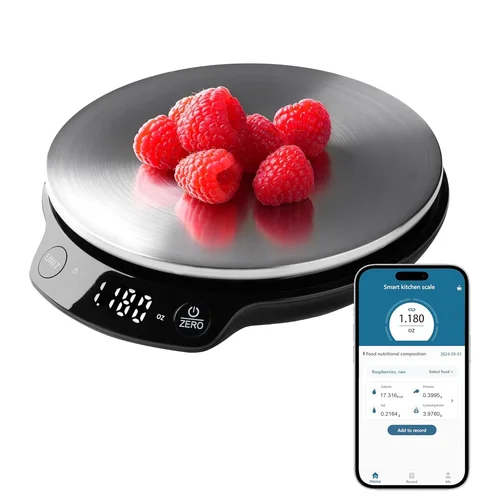
Expert Tips for Getting the Best Deal
1. Buy During Seasonal Sales: Smart scales often go on sale during Black Friday, Amazon Prime Day, and New Year’s health resolutions (January). Sign up for price alerts on CamelCamelCamel or Honey to catch discounts.
2. Check Retailer Return Policies: Some stores (like Costco) offer extended return windows for electronics. This gives you time to test the scale and app thoroughly.
3. Look for Bundle Deals: Some brands offer discounts when you buy a scale with a subscription to their nutrition app. Even if the app isn’t free, the bundle may still save you money.
4. Read the Fine Print on Warranties: A “lifetime warranty” may only cover manufacturing defects, not wear and tear. Ensure accidental damage or battery replacement is included.
5. Test Before Committing: If possible, try the scale in-store or borrow one from a friend. Weigh the same item multiple times to check consistency.
6. Avoid “Too Good to Be True” Deals: Scales under $25 often use low-quality sensors and outdated apps. You’ll end up replacing them within a year.
7. Consider Refurbished Models: Certified refurbished scales from reputable sellers (e.g., Amazon Renewed) can save 20–30% and come with warranties.
8. Update Your App Regularly: Developers frequently release bug fixes and new features. Keeping your app updated ensures optimal performance and security.

Frequently Asked Questions
Q: Can I use a smart scale without the app?
A: Yes, most smart scales function as regular digital scales when disconnected. However, you’ll lose access to nutrition tracking, meal logging, and cloud syncing. The app is essential for the “smart” features.
Q: How accurate are smart scales compared to manual logging?
A: When used correctly, smart scales are significantly more accurate. Manual logging relies on estimates (e.g., “one cup of spinach”), which can vary by 20–50%. Scales measure exact weight, reducing error and improving consistency.
Q: Do I need Wi-Fi, or is Bluetooth enough?
A: For most users, Bluetooth is sufficient. It’s reliable, energy-efficient, and works well for personal use. Wi-Fi is better for multi-user households or those who want real-time data across devices.
Q: Can smart scales track micronutrients like vitamins and minerals?
A: Some advanced apps (e.g., Cronometer) do offer micronutrient tracking, but accuracy depends on the food database. Branded products are usually reliable, but homemade recipes may have gaps. Always cross-check with USDA data if precision is critical.
Q: Are smart scales safe for children or pets?
A: Yes, but supervision is recommended. Most scales have weight limits and aren’t designed for dynamic loads (e.g., a squirming pet). Use a pet-specific scale for animals.
Q: How do I clean my smart scale?
A: Wipe the platform with a damp cloth and mild detergent. Avoid submerging the scale or using harsh chemicals. For glass surfaces, a vinegar-water solution works well. Never spray liquid directly onto the scale.
Q: Can I use the scale for baking?
A: Absolutely. Many bakers prefer smart scales for precise measurements. Look for models with high capacity (10+ kg) and fine resolution (0.1g) for best results.
Q: What if the app stops working?
A: First, check for app updates. If the issue persists, contact customer support. Reputable brands offer troubleshooting guides and firmware updates. Avoid models with discontinued apps.
Q: Do smart scales work with Apple Health or Google Fit?
A: Most do. Check compatibility before buying. Integration allows your nutrition data to sync with other health apps, providing a holistic view of your wellness.
Q: How long do smart scales typically last?
A: With proper care, 3–5 years is typical. High-quality models with durable materials can last even longer. Battery life and app support are often the limiting factors.
Our Final Recommendations
Best for Budget-Conscious Buyers: Etekcity Smart Scale – At under $50, it offers reliable Bluetooth syncing, a user-friendly app, and solid accuracy. Perfect for beginners or those on a tight budget.
Best Overall Value: Greater Goods Smart Scale – Priced around $80, it combines premium features (Wi-Fi, multi-user support, large database) with excellent build quality. The NutriScale app is intuitive and free.
Best Premium Option: Withings Body+ – At $130, it’s a top-tier choice with medical-grade sensors, cloud syncing, and integration with Apple Health. Ideal for serious health tracking.
Best for Beginners: Ozeri Touch II – Simple interface, responsive touch controls, and a sleek design make it easy for newcomers to start tracking without confusion.
Best for Advanced Users: Greater Goods Smart Scale Pro – With AI-powered food recognition, voice input, and detailed analytics, it’s built for tech-savvy users who want maximum control over their nutrition data.
Conclusion: Making the Right Choice
Choosing the right smart kitchen scale isn’t just about weighing food—it’s about investing in a tool that supports your health goals, fits your lifestyle, and delivers consistent value over time. Throughout this guide, we’ve emphasized the importance of accuracy, app quality, build durability, and real-world usability. While flashy features and sleek designs are tempting, the best scales are those that work seamlessly in the background, quietly helping you make better dietary choices.
Remember, no single scale is perfect for everyone. A busy parent might prioritize multi-user support and Wi-Fi syncing, while a fitness enthusiast may focus on macro tracking and precision. Take the time to assess your needs, read honest reviews, and test the app before committing. And don’t forget to factor in long-term costs—like app subscriptions or battery replacements—when comparing options.
Ultimately, the right smart kitchen scale should feel like a natural extension of your kitchen, not a complicated gadget that gathers dust. Whether you’re counting calories, managing a health condition, or simply cooking with more confidence, the right tool can make all the difference. Use this guide as your roadmap, and you’ll find a scale that doesn’t just measure ingredients—but helps you measure progress.