Resetting your Chefman electric kettle is a simple yet powerful way to resolve performance issues like overheating, failure to boil, or automatic shut-off problems. This guide walks you through every step, from understanding why resets are necessary to troubleshooting advanced errors, ensuring your kettle works like new.
Key Takeaways
- Resetting fixes common malfunctions: A reset can resolve issues like the kettle not turning on, overheating, or shutting off prematurely.
- Power cycle is the first step: Unplugging the kettle for 30–60 seconds often restores normal function by clearing temporary glitches.
- Check for mineral buildup: Hard water deposits can interfere with heating elements and sensors—regular cleaning supports proper reset function.
- Use the correct reset method: Most Chefman kettles don’t have a physical reset button; instead, a power cycle or factory reset via the control panel is used.
- Prevent future issues: Regular maintenance, using filtered water, and avoiding overfilling help maintain performance and reduce reset needs.
- Contact support if problems persist: If resetting doesn’t work, there may be a hardware issue requiring professional assistance.
- Always prioritize safety: Never open the kettle or attempt internal repairs while plugged in or when hot.
📑 Table of Contents
- Why Resetting Your Chefman Electric Kettle Matters
- Understanding How Chefman Electric Kettles Work
- Common Reasons You Might Need to Reset Your Chefman Kettle
- Step-by-Step Guide: How to Reset Chefman Electric Kettle
- Troubleshooting After a Reset
- Preventing Future Issues: Maintenance Tips
- When to Contact Chefman Customer Support
- Conclusion: Keep Your Chefman Kettle Boiling
Why Resetting Your Chefman Electric Kettle Matters
Imagine this: you’re rushing to make your morning coffee, press the boil button on your Chefman electric kettle, and… nothing happens. Or worse, it starts heating but shuts off after just a few seconds. Frustrating, right? Before you panic or consider replacing your kettle, there’s a simple solution that often works like magic: resetting it.
Resetting your Chefman electric kettle isn’t just a troubleshooting trick—it’s a vital maintenance step that can restore functionality, improve safety, and extend the life of your appliance. Like any smart device, electric kettles rely on internal electronics and sensors to operate. Over time, these components can get confused by power surges, mineral buildup, or software glitches. A reset clears these temporary errors and returns the kettle to its default operating state.
Whether you own a Chefman glass kettle, a stainless steel model, or one with a digital display, the reset process is generally similar. While Chefman kettles don’t typically come with a physical reset button (unlike some other brands), they do have built-in reset mechanisms that you can activate with a few simple steps. This guide will walk you through everything you need to know—from basic power cycling to advanced troubleshooting—so you can get your kettle back to boiling water reliably and safely.
Understanding How Chefman Electric Kettles Work
Before diving into the reset process, it helps to understand how your Chefman electric kettle operates. Knowing the basics makes it easier to diagnose issues and appreciate why a reset can be so effective.
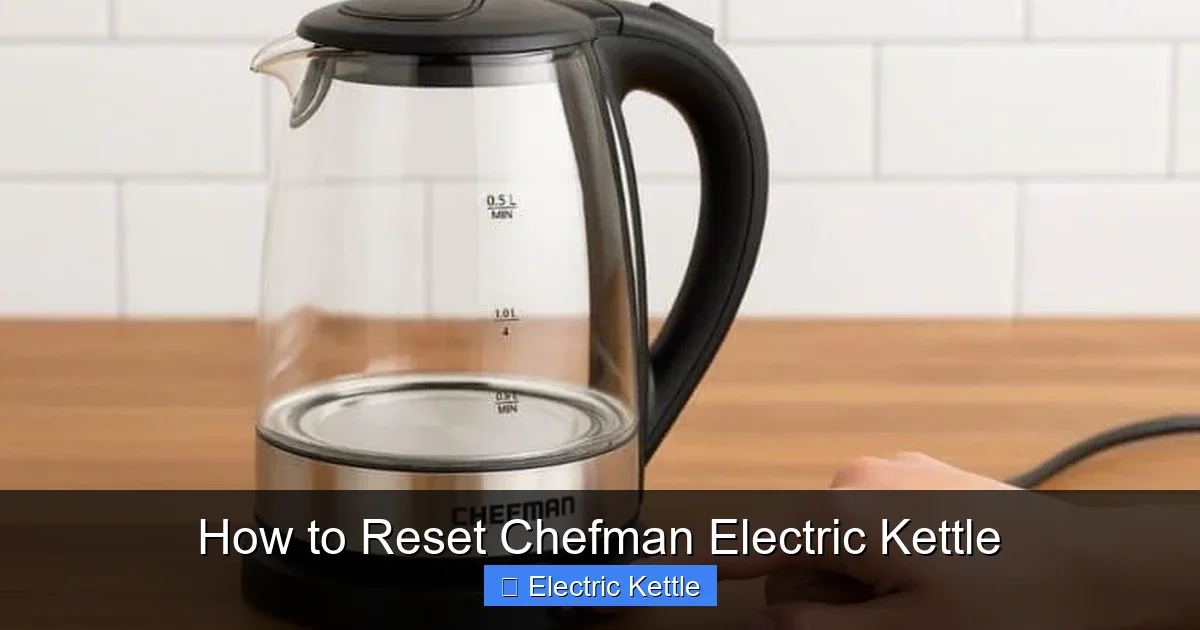
Visual guide about How to Reset Chefman Electric Kettle
Image source: homemotivate.com
The Heating Mechanism
At the heart of every Chefman electric kettle is a concealed heating element, usually located at the base of the water chamber. When you press the boil button, electricity flows through this element, rapidly heating the water. Unlike stovetop kettles, electric models heat water directly and efficiently, often bringing a full pot to a boil in under five minutes.
Temperature Control and Auto Shut-Off
Most Chefman kettles feature automatic shut-off technology. Once the water reaches boiling point (around 212°F or 100°C), a thermostat triggers the kettle to turn off. This prevents overheating, saves energy, and enhances safety. Some advanced models even offer variable temperature settings for different beverages—like green tea or French press coffee—which rely on precise temperature control.
Control Panel and Sensors
Modern Chefman kettles come with digital or analog control panels. These may include buttons for temperature selection, a keep-warm function, or a child lock. Behind the scenes, sensors monitor water level, temperature, and power flow. If any of these sensors detect an anomaly—such as low water, overheating, or a power fluctuation—the kettle may shut down or refuse to start. This is where a reset becomes essential.
Safety Features
Chefman prioritizes safety. Many models include boil-dry protection (which shuts off the kettle if there’s no water), overheat protection, and cool-touch exteriors. While these features are great for preventing accidents, they can sometimes trigger false alarms. A reset helps clear these safety locks and restore normal operation.
Common Reasons You Might Need to Reset Your Chefman Kettle
Not every issue requires a full reset, but knowing when to try one can save you time and frustration. Here are the most common scenarios where resetting your Chefman electric kettle is the best first step.
Kettle Won’t Turn On
If your kettle doesn’t respond when you press the power button, it could be due to a temporary electronic glitch. This often happens after a power outage or if the kettle was unplugged for an extended period. A simple power cycle—unplugging and replugging—can often revive it.
Automatic Shut-Off During Boiling
Does your kettle start heating but turn off after just 10 or 20 seconds? This could be a sign that the thermostat or sensor is malfunctioning. Mineral buildup on the heating element can trick the sensor into thinking the water is already boiling. Resetting the kettle, followed by cleaning, often resolves this.
Overheating or Strange Smells
If your kettle overheats or emits a burning smell, it may have triggered its internal safety lock. This is a protective measure to prevent damage or fire. Resetting the kettle after it cools down can clear the lock and allow normal use—provided there’s no physical damage.
Error Messages on Digital Display
Some Chefman models with digital screens may show error codes like “E1” or “E2.” These usually indicate sensor or heating issues. A reset can clear these codes and restore functionality, especially if the problem was temporary.
Kettle Stuck in Keep-Warm Mode
If your kettle won’t stop heating or seems stuck in keep-warm mode, it may be due to a software hiccup. Resetting the control panel can reboot the system and return it to standard operation.
After Cleaning or Descaling
Descaling removes limescale buildup but can sometimes leave moisture or residue in the control panel. After cleaning, a reset ensures all systems are properly reinitialized.
Step-by-Step Guide: How to Reset Chefman Electric Kettle
Now that you know why and when to reset your kettle, let’s get into the actual process. The good news? It’s easier than you think. Most Chefman kettles don’t have a physical reset button, so the reset is done through a power cycle or control panel reboot. Follow these steps carefully to ensure a safe and effective reset.
Step 1: Turn Off and Unplug the Kettle
First, make sure the kettle is completely turned off. If it’s currently heating, wait for it to finish or manually press the stop button. Then, unplug it from the electrical outlet. This is crucial for safety—never attempt any reset while the kettle is plugged in or hot.
Step 2: Let It Cool Down
If the kettle was recently in use, allow it to cool for at least 10–15 minutes. Hot surfaces can cause burns, and internal components may still be active. Letting it cool also helps reset the thermal sensors.
Step 3: Empty the Water
Pour out any remaining water from the kettle. This prevents spills and ensures no moisture interferes with the reset process. Wipe the interior dry with a clean cloth if needed.
Step 4: Perform a Power Cycle (Basic Reset)
This is the most common and effective reset method for Chefman kettles:
- Leave the kettle unplugged for at least 30 to 60 seconds.
- This allows the internal circuitry to fully discharge and reset.
- After the wait, plug the kettle back into a working outlet.
- Press the power or boil button to see if it responds normally.
In many cases, this simple step resolves the issue. The power cycle clears temporary glitches in the control board and resets the safety sensors.
Step 5: Try a Control Panel Reset (For Digital Models)
If your Chefman kettle has a digital display or multiple settings, it may support a soft reset via the control panel. Here’s how:
- With the kettle plugged in but turned off, press and hold the “Boil” and “Keep Warm” buttons simultaneously for 5–10 seconds.
- You may see the display flash or reset to default settings.
- Release the buttons and test the kettle by adding water and pressing boil.
Note: Not all models support this method. Check your user manual for specific instructions. If you don’t have the manual, you can usually find it on the Chefman website by searching your model number.
Step 6: Test the Kettle
After resetting, fill the kettle with fresh water (up to the max line) and press the boil button. Observe the following:
- Does it heat up normally?
- Does it shut off automatically when boiling?
- Are there any unusual sounds or smells?
If everything works as expected, your reset was successful. If not, proceed to troubleshooting.
Troubleshooting After a Reset
Sometimes, a reset alone isn’t enough. If your Chefman kettle still isn’t working properly after following the steps above, don’t worry—there are other factors to consider. Here’s how to troubleshoot common post-reset issues.
Kettle Still Won’t Turn On
If the kettle remains unresponsive after a reset, check the power source. Try plugging it into a different outlet or using a different appliance in the same outlet to confirm it’s working. Also, inspect the power cord for damage. A frayed or broken cord may need replacement.
Overheating or Shutting Off Too Soon
This often points to mineral buildup. Hard water leaves limescale on the heating element, which insulates it and causes overheating. To fix this:
- Descale the kettle using a mixture of equal parts white vinegar and water.
- Fill the kettle, boil the solution, let it sit for 30 minutes, then rinse thoroughly.
- Repeat if necessary, then reset the kettle again.
Regular descaling (every 1–2 months, depending on water hardness) prevents this issue.
Error Codes Persist
If your digital model still shows error codes after a reset, consult the user manual for code meanings. For example:
- “E1” may indicate a sensor fault.
- “E2” could mean a heating element issue.
If the problem continues, it may be a hardware failure requiring professional repair or replacement.
Kettle Leaks or Makes Strange Noises
Leaks or rattling sounds after a reset could indicate a loose component or cracked interior. Stop using the kettle immediately and contact Chefman customer support. Continuing to use a damaged kettle can be dangerous.
Keep-Warm Function Not Working
If the keep-warm feature fails after a reset, try recalibrating it:
- Boil a full kettle of water.
- Once it shuts off, press the keep-warm button.
- Wait 10 minutes and check if the water stays warm.
If it doesn’t, the heating element or thermostat may be faulty.
Preventing Future Issues: Maintenance Tips
Resetting your Chefman electric kettle is helpful, but prevention is even better. With a few simple habits, you can keep your kettle running smoothly and reduce the need for resets.
Use Filtered or Softened Water
Hard water is the #1 enemy of electric kettles. Minerals like calcium and magnesium build up over time, affecting performance and triggering safety shut-offs. Using filtered or distilled water significantly reduces scale formation.
Descale Regularly
Even with filtered water, some mineral buildup is inevitable. Descale your kettle every 4–6 weeks (or more often in hard water areas). Vinegar is effective and affordable, but you can also use commercial descaling solutions. Always rinse thoroughly after descaling.
Avoid Overfilling
Never fill the kettle beyond the maximum water line. Overfilling can cause water to spill into the base, damaging electronics and triggering safety locks. It can also lead to boiling water splashing out, which is a burn hazard.
Don’t Run the Kettle Dry
Always ensure there’s water in the kettle before turning it on. Running it dry can damage the heating element and trigger permanent safety locks. If you accidentally do this, let it cool completely before adding water and resetting.
Store Properly
When not in use, store the kettle in a dry, cool place. Keep it unplugged and avoid stacking heavy items on top. If you’re storing it for a long time, make sure it’s completely dry inside to prevent mold or corrosion.
Clean the Exterior and Lid
Wipe the outside with a damp cloth and mild detergent. Avoid submerging the base or control panel in water. A clean exterior prevents dust and grime from entering the mechanism.
Update Firmware (If Applicable)
Some newer Chefman models with smart features may receive firmware updates. Check the Chefman app or website periodically to see if your model is eligible for updates that improve performance and fix bugs.
When to Contact Chefman Customer Support
Despite your best efforts, some issues can’t be fixed with a reset or basic troubleshooting. If your kettle continues to malfunction, it’s time to reach out to Chefman’s customer support team.
Signs You Need Professional Help
- The kettle sparks, smokes, or emits a burning smell.
- There’s visible damage to the cord, base, or interior.
- Error codes persist after multiple resets and cleaning.
- The kettle leaks water or fails to heat at all.
- You suspect an electrical fault or internal component failure.
How to Contact Support
Chefman offers support via phone, email, and live chat. Visit their official website and navigate to the “Support” or “Contact Us” section. Have your model number and purchase date ready—this helps them assist you faster. Many issues can be resolved over the phone, and if your kettle is under warranty, you may be eligible for a free repair or replacement.
Warranty Information
Most Chefman electric kettles come with a 1-year limited warranty. This covers defects in materials and workmanship but not damage from misuse, neglect, or normal wear. Keep your receipt and register your product online to streamline the warranty process.
Conclusion: Keep Your Chefman Kettle Boiling
Resetting your Chefman electric kettle is a simple, safe, and effective way to restore performance and resolve common issues. Whether your kettle won’t turn on, shuts off too soon, or displays error codes, a power cycle or control panel reset can often bring it back to life. Combined with regular maintenance—like descaling and using filtered water—you can enjoy years of reliable service from your appliance.
Remember, safety always comes first. Never attempt to open or repair the kettle yourself, and always unplug it before cleaning or resetting. If problems persist, don’t hesitate to contact Chefman support. With the right care and a little troubleshooting know-how, your Chefman electric kettle will continue to deliver hot water quickly and efficiently, cup after cup.
Frequently Asked Questions
How do I reset my Chefman electric kettle if it won’t turn on?
Unplug the kettle, wait 30–60 seconds, then plug it back in. This power cycle often resets the internal electronics and restores function. If it still won’t turn on, check the outlet and power cord.
Does the Chefman kettle have a reset button?
Most Chefman electric kettles do not have a physical reset button. Instead, they use a power cycle (unplugging and replugging) or a control panel reset (holding specific buttons) to restore default settings.
Why does my Chefman kettle keep shutting off?
This is usually caused by mineral buildup on the heating element, which tricks the thermostat into thinking the water is boiling. Descale the kettle and reset it to fix the issue.
Can I reset my Chefman kettle while it’s hot?
No. Always let the kettle cool down completely before resetting. Attempting a reset while hot can damage internal components or cause burns.
How often should I descale my Chefman kettle?
Descale every 4–6 weeks if you use hard water, or every 2–3 months with filtered water. Regular descaling prevents buildup and reduces the need for resets.
What should I do if resetting doesn’t fix my kettle?
If the kettle still malfunctions after a reset and cleaning, contact Chefman customer support. There may be a hardware issue covered under warranty.