Resetting your electric kettle can solve common issues like failure to heat, automatic shut-off, or error lights. This guide walks you through simple, safe methods to reset most models, helping you restore functionality without professional help.
Key Takeaways
- Unplug before resetting: Always disconnect the kettle from power to prevent electrical hazards during the reset process.
- Check the base and connections: A loose or dirty connection between the kettle and its base can mimic a malfunction—clean and reseat it.
- Use the reset button (if available): Some kettles have a small reset button under the handle or on the base—press it gently with a paperclip.
- Allow cooling time: Overheating triggers safety mechanisms; let the kettle cool for 10–15 minutes before attempting a reset.
- Descaling may be needed: Mineral buildup can interfere with heating elements—regular descaling prevents reset issues.
- Consult the manual: Manufacturer-specific reset procedures vary—always refer to your user guide first.
- Know when to replace: If repeated resets fail, the thermostat or heating element may be faulty—consider replacement.
📑 Table of Contents
- Why Your Electric Kettle Might Need a Reset
- Understanding How Electric Kettles Work
- Step-by-Step Guide to Resetting Your Electric Kettle
- Brand-Specific Reset Instructions
- Common Issues That Mimic a Need for Reset
- When a Reset Isn’t Enough: Knowing When to Replace
- Preventing Future Reset Issues
- Conclusion
Why Your Electric Kettle Might Need a Reset
Electric kettles are among the most convenient kitchen appliances—boiling water in minutes with just the push of a button. But like any electronic device, they can sometimes act up. You might notice it won’t turn on, stops mid-boil, or flashes an error light. In many cases, these issues aren’t due to serious damage but rather temporary glitches or safety triggers that can be resolved with a simple reset.
Think of resetting your electric kettle like restarting your phone when an app freezes. It clears temporary errors, resets internal sensors, and gives the appliance a fresh start. Most modern kettles come equipped with built-in safety features—such as thermal fuses, automatic shut-off, and overheat protection—that can activate under certain conditions. When these kick in, the kettle may appear “broken,” but often all it needs is a reset to get back to brewing your morning tea or coffee.
Common signs your kettle needs a reset include: it powers on but doesn’t heat, it turns off immediately after starting, or it makes unusual noises. Sometimes, the problem is as simple as a tripped internal switch or a momentary power surge. Before you panic or rush to buy a new one, try resetting it. It’s quick, safe, and often solves the issue instantly.
Understanding How Electric Kettles Work
To reset your electric kettle effectively, it helps to understand how it works. At its core, an electric kettle uses electricity to heat a concealed element at the base of the water chamber. When you press the switch, power flows through this element, rapidly heating the water. A thermostat monitors the temperature and cuts off power once the water reaches boiling point—usually around 212°F (100°C).
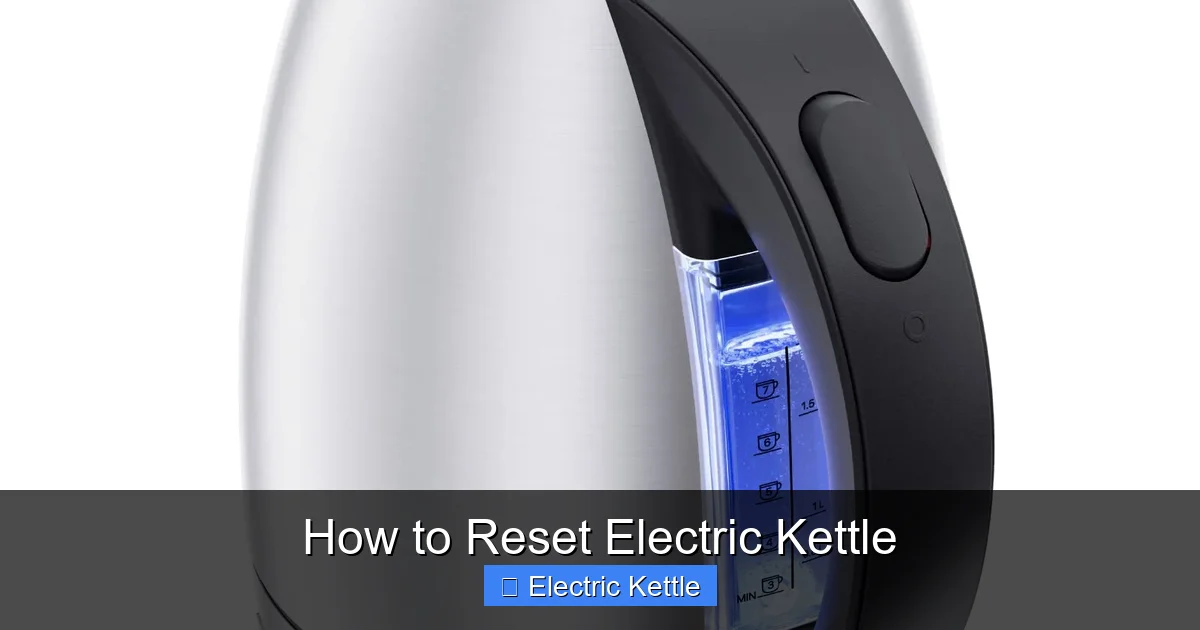
Visual guide about How to Reset Electric Kettle
Image source: m.media-amazon.com
Most kettles also include several safety mechanisms. For example, they won’t operate if there’s no water inside (dry-boil protection), and they’ll shut off automatically if they overheat. These features are designed to prevent fires, damage, or injury. However, they can sometimes trigger unnecessarily—especially if the kettle is old, has mineral buildup, or was recently moved or jostled.
The Role of the Thermostat and Thermal Fuse
The thermostat is the brain of the kettle. It senses temperature and controls when heating starts and stops. If it malfunctions or gets stuck, the kettle may not heat at all or may overheat. In some models, a thermal fuse acts as a backup—it permanently breaks the circuit if temperatures exceed safe limits. Unlike a resettable switch, a blown thermal fuse usually means the kettle needs professional repair or replacement.
Power Base and Connection Points
The kettle sits on a powered base that transfers electricity via metal contact points. If these contacts are dirty, corroded, or misaligned, the kettle won’t receive power—even if it looks like it’s plugged in. This is one of the most common causes of “failure to heat” and is often mistaken for a broken kettle. Cleaning the contacts and ensuring a snug fit can restore function without any internal reset.
Step-by-Step Guide to Resetting Your Electric Kettle
Resetting an electric kettle is usually straightforward, but the exact method depends on your model. Below is a universal step-by-step process that works for most kettles, followed by brand-specific tips.
Step 1: Unplug the Kettle
Before doing anything, unplug the kettle from the wall outlet. This is crucial for safety—never attempt to reset or inspect an electric appliance while it’s plugged in. Even if the kettle appears off, residual current could pose a shock risk.
Step 2: Let It Cool Completely
If the kettle was recently used, allow it to cool for at least 10–15 minutes. Overheating can trigger safety locks that prevent operation until the unit cools down. Trying to reset a hot kettle may not work and could damage internal components.
Step 3: Check the Power Base and Connections
Remove the kettle from its base and inspect both the base and the bottom of the kettle. Look for dirt, limescale, or corrosion on the metal contact points. Use a clean, dry cloth to wipe them gently. For stubborn buildup, dip a cotton swab in white vinegar, wipe the contacts, then dry thoroughly. Reattach the kettle firmly to ensure proper contact.
Step 4: Locate and Press the Reset Button (If Available)
Some kettles—especially higher-end models from brands like Breville, Cuisinart, or Russell Hobbs—have a small reset button. It’s usually located under the handle, near the base, or on the power cord. You’ll often need a paperclip or toothpick to press it. Gently insert the tool into the tiny hole and press until you feel a click. This resets the thermal switch or safety lock.
Step 5: Plug In and Test
After completing the above steps, plug the kettle back in and try turning it on. Add a small amount of water (at least covering the minimum fill line) and press the switch. If it heats normally, the reset worked. If not, proceed to advanced troubleshooting.
Step 6: Perform a Power Cycle (Hard Reset)
If there’s no reset button, try a power cycle. Unplug the kettle, wait 30 seconds, then plug it back in. This mimics a “hard reboot” and can clear temporary electrical glitches. Some users report success after repeating this cycle two or three times.
Brand-Specific Reset Instructions
While the general reset process works for many kettles, some brands have unique designs or procedures. Here’s how to reset popular models:
Breville Electric Kettles
Breville kettles often feature a hidden reset button under the handle. To access it, look for a small pinhole near the hinge. Use a straightened paperclip to press the button firmly for 3–5 seconds. After resetting, ensure the kettle is properly seated on the base and try boiling water. If the “Clean” or “Descale” light is on, descale the kettle first—mineral buildup can prevent proper operation.
Cuisinart Electric Kettles
Cuisinart models typically don’t have a physical reset button. Instead, perform a power cycle: unplug, wait 60 seconds, then plug back in. If the kettle still doesn’t work, check for error codes on the display (if equipped). A flashing light or symbol may indicate a specific issue, such as overheating or a faulty sensor. Refer to the manual for code meanings.
Russell Hobbs Kettles
Many Russell Hobbs kettles have a reset button on the base or under the handle. Press it with a paperclip after unplugging and cooling the unit. Some newer models also include a “boil-dry” protection feature that locks the kettle if it detects no water. Always ensure the kettle has water before use to avoid triggering this lock.
Hamilton Beach and Oster Kettles
These brands usually rely on thermal fuses rather than resettable switches. If your Hamilton Beach or Oster kettle stops working suddenly, it may have a blown fuse. Unfortunately, this often requires professional repair or replacement. However, try the power cycle method first—some users have reported temporary fixes.
Smeg and Other Designer Kettles
Smeg kettles are stylish but can be tricky to reset. They often lack a visible reset button. In most cases, unplugging for 2–3 minutes and reseating the kettle on the base resolves the issue. If problems persist, contact Smeg customer service—they may offer a firmware reset or remote diagnostics for smart models.
Common Issues That Mimic a Need for Reset
Sometimes, what seems like a reset problem is actually a different issue. Before resetting, rule out these common culprits:
Mineral Buildup (Limescale)
Hard water leaves behind mineral deposits that coat the heating element and sensors. This reduces efficiency and can prevent the kettle from heating properly. If your kettle takes longer to boil or makes a rumbling noise, it’s likely due to limescale. Descaling with a mixture of equal parts water and white vinegar can restore performance. Let it sit for 30 minutes, then rinse thoroughly.
Faulty Power Outlet or Cord
Test the outlet with another appliance to ensure it’s working. Also, inspect the kettle’s power cord for fraying, kinks, or loose connections. A damaged cord can interrupt power flow and mimic a malfunction.
Incorrect Water Level
Most kettles have minimum and maximum fill lines. Using too little water can trigger dry-boil protection, while too much can cause overflow or sensor errors. Always fill within the recommended range.
Environmental Factors
Extreme temperatures, high humidity, or power surges can affect kettle performance. Avoid using the kettle in very cold or damp areas. If you live in an area with unstable electricity, consider using a surge protector.
When a Reset Isn’t Enough: Knowing When to Replace
While resetting can fix many issues, it’s not a permanent solution for mechanical failure. If your kettle repeatedly fails to heat, smells burnt, leaks, or shows visible damage, it may be time to replace it. Kettles typically last 3–5 years with regular use. After that, internal components like the thermostat or heating element wear out.
Signs it’s time to replace your kettle include:
- The reset button no longer clicks or feels loose
- The kettle heats slowly or not at all, even after descaling
- You notice sparks, smoke, or a burning smell
- The exterior is cracked or the handle is loose
- The power cord is damaged or overheating
Investing in a new kettle with modern safety features—such as boil-dry protection, auto shut-off, and LED indicators—can save you hassle in the long run. Look for models with easy-to-clean designs and removable limescale filters if you live in a hard water area.
Preventing Future Reset Issues
The best way to avoid frequent resets is through regular maintenance. Here are some tips to keep your kettle running smoothly:
Descale Monthly
Even if you use filtered water, minerals can accumulate. Descale your kettle once a month using vinegar or a commercial descaling solution. This prevents buildup that can interfere with heating and sensors.
Clean the Exterior and Base
Wipe the outside with a damp cloth and dry thoroughly. Clean the base and contact points weekly to ensure a strong electrical connection.
Avoid Overfilling or Underfilling
Stick to the recommended water levels. Overfilling can cause leaks; underfilling can damage the heating element.
Store Properly
Keep the kettle in a dry, cool place. Don’t wrap the cord tightly around the base, as this can strain the wires.
Use a Surge Protector
Power surges can damage sensitive electronics. Plug your kettle into a surge protector to safeguard against voltage spikes.
Conclusion
Resetting your electric kettle is a simple yet powerful troubleshooting step that can save you time, money, and frustration. Whether your kettle won’t heat, keeps shutting off, or just seems sluggish, a reset—combined with basic maintenance—can often restore it to full working order. Always start with safety: unplug, cool, and inspect before pressing any buttons.
Remember, not all kettles have a reset button, and some issues require more than a quick fix. But by following the steps in this guide, you’ll be equipped to handle most common problems. And if your kettle is beyond repair, use this knowledge to choose a better, more reliable model next time. A well-maintained kettle is a kitchen workhorse—keep it running smoothly, and it’ll keep your tea hot for years to come.
Frequently Asked Questions
How do I know if my electric kettle has a reset button?
Check under the handle, near the base, or on the power cord for a small pinhole. Consult your user manual—most brands list the location of the reset button. If there’s no hole or button, your kettle may not have a reset function.
Can I reset my kettle while it’s still hot?
No. Always let the kettle cool for at least 10–15 minutes before resetting. Attempting to reset a hot kettle can damage internal components and poses a burn risk.
Why does my kettle keep needing resets?
Frequent resets may indicate underlying issues like limescale buildup, a failing thermostat, or electrical problems. Descale regularly and inspect for damage. If problems persist, consider replacing the kettle.
Is it safe to use a paperclip to press the reset button?
Yes, as long as the kettle is unplugged. Use a non-conductive tool like a plastic toothpick or wooden skewer if you’re concerned about conductivity. Avoid metal tools if the kettle is near water.
What if my kettle still doesn’t work after resetting?
Try descaling, checking the power source, and inspecting the cord. If none of these help, the thermal fuse or heating element may be faulty. Contact the manufacturer or consider replacement.
Do all electric kettles have a reset function?
No. Many basic models rely on thermal fuses that can’t be reset. Higher-end kettles often include reset buttons or power-cycle recovery. Check your model’s specifications to confirm.